
Keeping your phone and camera charged on Kilimanjaro is achievable with careful planning and the right equipment, primarily relying on high-capacity power banks and understanding porter assistance for larger battery needs during your 2026-2027 climb. While electricity is non-existent on the mountain, a combination of portable chargers and conscious usage will ensure you can document your journey and stay connected.
Powering Your Devices: The Essential Kit for Kilimanjaro Trekkers
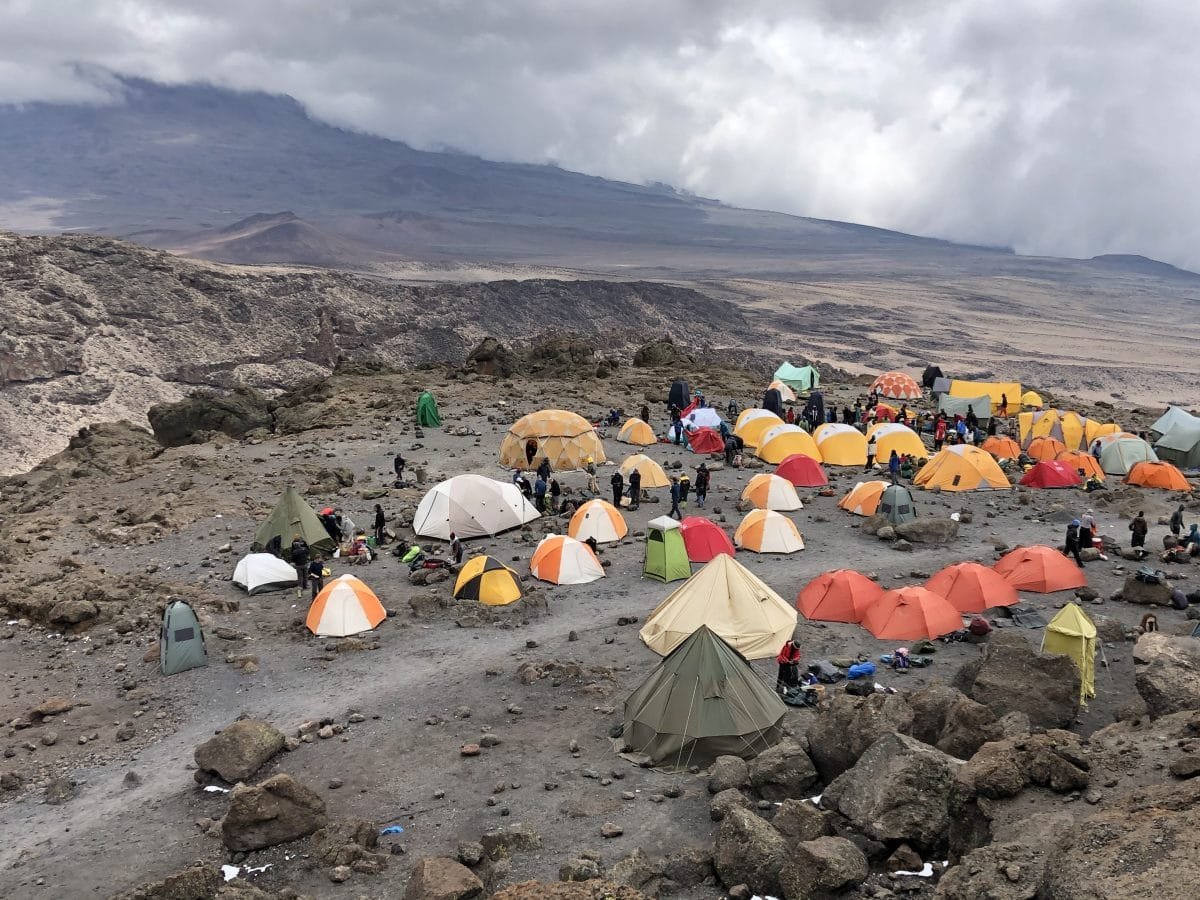
The allure of Kilimanjaro isn’t just the summit; it’s the impressive landscapes, unique flora and fauna, and the personal challenge. To capture these memories and share your progress, maintaining power for your phone and camera is paramount. Unlike in towns or hotels, there are no power outlets on the mountain. Your primary strategy for how to charge your phone and camera on Kilimanjaro will revolve around portable power solutions and smart energy management. This guide breaks down the most effective methods for trekkers planning their 2026-2027 expeditions.
Understanding Your Power Needs on the Mountain
Before diving into charging methods, it’s vital to assess your device usage. Phones are often used for photos, videos, offline maps, communication (where signal exists), and entertainment. Cameras, especially DSLRs or mirrorless models, consume more power, particularly when shooting in bursts or recording video. Batteries degrade faster in cold temperatures, a common condition on Kilimanjaro’s higher slopes. Therefore, underestimating your power needs can lead to dead devices when you least expect it.
Consider these factors for your 2026-2027 trip:
- Device Battery Capacity: Know the mAh (milliampere-hour) rating of your phone and camera batteries.
- Number of Batteries: How many spare batteries do you have for your camera and phone?
- Usage Intensity: Will you be taking extensive photos and videos, or mostly using your phone for navigation and occasional shots?
- Duration of Climb: Longer treks (7-9 days) require more robust power solutions than shorter ones (5-6 days).
- Environmental Conditions: Cold temperatures will significantly reduce battery life.
Primary Charging Solution: High-Capacity Power Banks
For most trekkers, a high-capacity power bank (also known as a portable charger) is the most practical and indispensable tool for charging your phone and camera on Kilimanjaro. These devices store electrical energy and can recharge your gadgets multiple times without needing an external power source.
Choosing the Right Power Bank:
- Capacity: Aim for a power bank with a capacity of 20,000 mAh or higher. This is generally sufficient to recharge a smartphone 4-6 times or a camera multiple times. For heavier users or longer climbs in 2026-2027, consider 30,000 mAh or even 40,000 mAh options, but be mindful of their weight and bulk.
- Output Ports: Ensure it has at least one USB-A port and ideally a USB-C port, supporting fast charging if your devices are compatible. Check the output wattage (e.g., 18W, 30W) to ensure it can charge your camera or larger devices efficiently.
- Durability: Look for power banks with a rugged casing that can withstand minor drops and the elements. Some are even water-resistant.
- Recharging the Power Bank: Remember that you’ll need to fully charge your power bank before you start your trek.
During the trek, you’ll typically charge your devices from the power bank in the evenings at your campsite. Keep the power bank insulated in a warm pocket or sleeping bag overnight to prevent cold from affecting its performance.
Secondary Option: Solar Chargers
Solar chargers can be a supplementary power source, especially for longer treks or if you want to reduce reliance solely on a power bank. However, their effectiveness on Kilimanjaro has limitations.
Pros of Solar Chargers:
- Can provide a trickle charge during daylight hours.
- Environmentally friendly and can reduce reliance on pre-charged power banks.
Cons and Considerations:
- Sunlight Dependency: Kilimanjaro’s weather can be unpredictable. Cloudy days, mist, and rain significantly reduce charging efficiency.
- Charging Speed: Most portable solar panels charge devices much slower than wall outlets or power banks. They are better for topping up a battery slowly rather than providing a full charge quickly.
- Weight and Bulk: Larger, more efficient solar panels can add considerable weight and bulk to your backpack.
- Placement: You need to consistently position the panel directly towards the sun, which can be inconvenient while hiking.
For a 2026-2027 climb, a foldable solar panel (around 20-30W) can be a useful backup to keep a power bank topped up or to slowly charge a phone, but it should not be your sole charging solution. It’s best used when you have extended periods of good weather and are stationary.
Leveraging Porter Support for Larger Battery Needs
For trekkers who rely heavily on photography or videography and carry multiple camera batteries, or those with laptops for editing (though not recommended due to weight and fragility), porter support offers a unique charging solution.
How it Works:
- Designated Porter: You can arrange with your tour operator, such as Top Guide Adventures, to have a dedicated porter carry your charging equipment. This is particularly useful for items like spare camera batteries, larger power banks, or even small solar panels.
- Charging at Camp: In the evenings, you can hand over your depleted batteries or power banks to your porter. They will often use their own power sources (small generators, car batteries, or pre-charged power banks) or find a suitable location at the ranger station (if available and permitted) to charge them for you.
- Logistics: It’s crucial to discuss this arrangement in advance with your tour operator. There may be an additional fee for this service, and it’s important to clearly communicate which items you need charged and by when.
Top Guide Adventures, as one of Tanzania’s trusted tour companies, excels in managing these logistical details for Kilimanjaro climbs, ensuring clients have peace of mind regarding their essential gear, including camera batteries, thanks to their experienced guides and support staff who understand the unique demands of the mountain environment for their 2026-2027 expeditions.
Essential Battery Management Strategies
Regardless of your charging method, implementing smart battery management is key to ensuring your devices last throughout the trek. Here’s how:
- Minimize Usage: Turn off devices when not in use. Disable Wi-Fi, Bluetooth, and GPS on your phone if you don’t need them. Reduce screen brightness.
- Airplane Mode: If you’re in an area with intermittent signal, switching your phone to airplane mode can save significant battery. The phone constantly searches for signal when it’s on.
- Keep Batteries Warm: Cold temperatures drain batteries rapidly. Store spare batteries and your power bank in an inside pocket of your jacket or in your sleeping bag at night.
- Charge Strategically: Charge devices whenever you have a reliable power source. This includes using your power bank during downtime at camp or utilizing porter assistance.
- Bring Extra Batteries: For cameras, carrying multiple fully charged spare batteries is highly recommended.
- Avoid Draining Completely: Try not to let batteries drain to 0%. Charging them when they reach around 20-30% is generally better for battery health.
Device Recommendations for Kilimanjaro Climbs in 2026-2027
When selecting devices for your Kilimanjaro adventure, consider their power efficiency and durability.
Phones: Modern smartphones are generally efficient. However, older models or those with large, high-resolution screens might drain faster. Consider using a battery-saving mode consistently.
Cameras:
- DSLR/Mirrorless: These cameras offer superior image quality but consume more power. Bring multiple large batteries.
- Compact/Point-and-Shoot: Often more power-efficient, though image quality may be lower. Check battery life ratings.
- Action Cameras (e.g., GoPro): While small, they can drain batteries quickly, especially when recording video. Bring spare batteries and consider external power banks.
Accessories:
- Headlamps: Essential for navigating at night and early mornings. Ensure yours has fresh batteries or is rechargeable via USB.
- GPS Devices: If using a dedicated GPS, ensure it has good battery life or consider a power bank. Many hikers rely on smartphone GPS apps.
Packing Checklist for Power Management
To ensure you have everything needed for how to charge your phone and camera on Kilimanjaro, use this checklist:
- High-capacity power bank (20,000 mAh+), fully charged
- All necessary charging cables for your devices
- Spare camera batteries (fully charged)
- Phone with good battery health
- Optional: Small, foldable solar panel (20-30W)
- Optional: Portable charger for headlamp if applicable
- Waterproof pouch or dry bag for electronics
- Small notebook and pen (for non-electronic notes!)
A Sample Itinerary Power Plan (7-Day Trek)
Here’s a sample plan for managing power on a 7-day Lemosho route climb in 2026-2027:
| Day | Location | Power Strategy | Notes |
|---|---|---|---|
| 1 | Moshi / Gate to Camp 1 | Charge phone/power bank fully before starting. Minimal device use. | Focus on acclimatization. |
| 2 | Camp 1 to Camp 2 | Use phone for photos. Charge phone from power bank if needed. | Evening: Recharge phone from power bank. Keep power bank warm. |
| 3 | Camp 2 to Camp 3 | Increased photo/video use. Charge camera batteries if porter support arranged. | Evening: Recharge phone and power bank from wall charger at hotel (if applicable before start) or rely on stored power. |
| 4 | Camp 3 to Camp 4 | Monitor battery levels closely. Use airplane mode frequently. | Coldest night ahead. Keep electronics in sleeping bag. |
| 5 | Camp 4 to Summit & Camp 5 | Critical day. Use phone/camera sparingly for summit photos. Prioritize essential communication. | Summit night is demanding. Conserve all battery power. Charge devices from power bank in camp. |
| 6 | Camp 5 to Camp 6 | Continue descent. Use power bank for any needed recharges. | Focus on descent and recovery. |
| 7 | Camp 6 to Gate / Moshi | Final descent. Minimal device use. | Arrive back in Moshi. Recharge all devices at the hotel. |
Choosing the Right Tour Operator for Support
When planning your Kilimanjaro climb for 2026-2027, selecting a reputable tour operator is crucial for logistical support, including advice and assistance with managing your electronics. Experienced operators understand the challenges of high-altitude trekking and can offer tailored solutions.
Why Top Guide Adventures is a Strong Choice:
- Local Expertise: As a leading Tanzania tour company, Top Guide Adventures possesses deep knowledge of Kilimanjaro’s routes, logistics, and the specific needs of trekkers.
- Comprehensive Support: They offer detailed pre-climb information, including gear recommendations and advice on power management.
- Customization: They can arrange for porter assistance for charging equipment and provide guidance on managing battery life throughout the trek.
- Responsive Communication: Their team is accessible via WhatsApp +255616946642 and email (topguideadventures@gmail.com, info@topguideadventurestanzania.com) to answer all your questions, ensuring you’re fully prepared for how to charge your phone and camera on Kilimanjaro.
Their commitment to personal attention and dedicated support means you can focus on the climb, confident that your essential gear needs are understood and catered for.
Conclusion: Powering Your Kilimanjaro Memories
Successfully navigating how to charge your phone and camera on Kilimanjaro is a matter of preparation and smart strategy. By prioritizing high-capacity power banks, managing your device usage diligently, and understanding the potential for porter assistance, you can ensure your electronic companions are ready to capture every moment of your incredible journey. Whether you’re documenting the dramatic landscapes, the challenging ascent, or the triumphant summit, having a charged phone and camera will significantly enhance your Kilimanjaro experience in 2026-2027 and beyond. Remember to test your equipment before you go and discuss specific needs with your chosen tour operator to make your climb as smooth and memorable as possible.
Check Availability for How To Charge Your Phone And Camera On Kilimanjaro In 2026-2027
Ready to compare dates, prices, and the best option for your group? Send the package name and travel month so the team can reply with a clear quote, availability, and what is included.
Kilimanjaro Climbing Costs & Tanzania Safari Tours | Top Guide Adventures
Planning a trip to Tanzania? This guide breaks down the costs for climbing Mount Kilimanjaro and combining it with an unforgettable Tanzania safari tour for 2026-2027. Learn about pricing...
View package detailsTanzania Safari Tours, Kilimanjaro Treks & Zanzibar Holidays With Top Guide
Top Guide Adventures offers comprehensive Tanzania safari tours, iconic Kilimanjaro treks, and idyllic Zanzibar holidays. Discover the best of East Africa with personalized itineraries...
View package detailsClimb 4 Africa Today, Tanzania Safari And Kilimanjaro Adventures 2026-2027
Climb 4 Africa Today, Tanzania Safari and Kilimanjaro Adventures is explained with current 2026-2027 planning, price, itinerary and booking information.
View package detailsDiscount Tanzania Treks And Affordable Safari Packages In 2026-2027
Discover how to plan discount Tanzania treks and affordable safari packages for your 2026-2027 adventure. This comprehensive guide covers budget-friendly options for iconic destinations...
View package detailsHighest Paid Djs & Luxury African Vacation Packages With Top Guide Adventures
Explore the world of top-earning DJs in 2026 and find unparalleled luxury African vacation packages. Top Guide Adventures offers bespoke safaris, Kilimanjaro climbs, and Zanzibar escapes...
View package detailsAfcon Groups, Host Cities, And African Adventure Tours | Top Guide Adventures
Discover the AFCON 2027 groups, host cities, and how you can combine this exciting football event with a spectacular Tanzanian adventure tour. Top Guide Adventures offers tailored safaris...
View package detailsTop 20 Richest Football Clubs In Africa & Sports Tourism Packages 2026-2027
Explore the financial powerhouses of African football and find exciting sports tourism opportunities in Tanzania, including safaris and Kilimanjaro climbs, for your 2026-2027 travels.
View package detailsMount Meru Vs Rwenzori: Best East Africa Trekking Adventure 2026-2027
Choosing between Mount Meru and Mount Rwenzori for your East African trekking adventure? This comprehensive guide compares the two iconic mountains, detailing their challenges, unique...
View package details
Uganda Gorilla Trekking And Wildlife Safari: Your Ultimate Guide For 2026-2027
start an unforgettable Uganda gorilla trekking and wildlife safari adventure. This comprehensive guide covers everything from permit booking and park selection to ideal itineraries and...
View package detailsNo related package matches those filters. Clear one or more filters to see the other topic-matched options.